


Pocket Shapes
3D models for printing, made on your phone from simple shapes.
In testing
Try the prototypeComing to the App Store
What it does
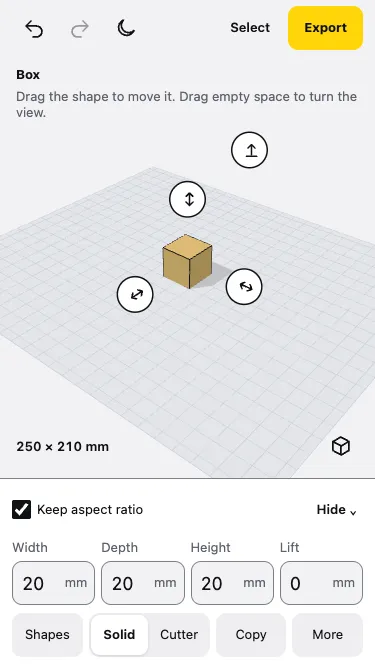
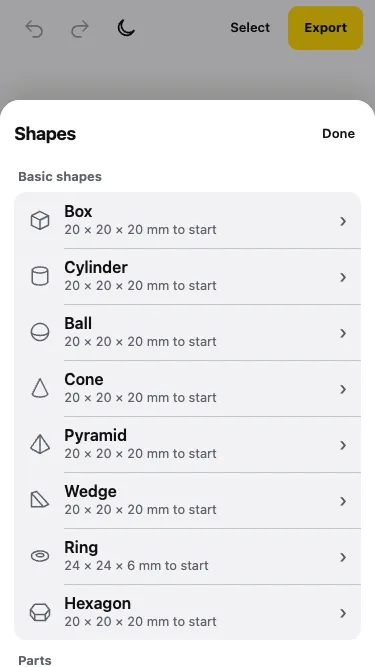
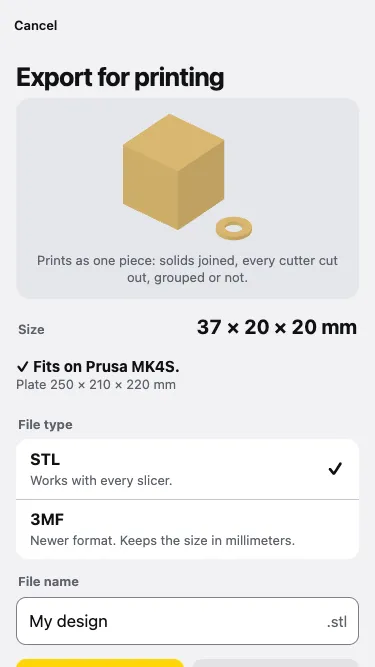
Pocket Shapes is for making things on a 3D printer from your phone. Drop basic shapes on your printer’s build plate, resize them with your thumb, mark a shape as a cutter to take material away, and export an STL or 3MF file ready for your slicer.
- Start from an empty plate sized for your printer.
- Box, cylinder, ball, cone, pyramid, wedge, ring and hexagon, plus ready-made parts such as a washer.
- Plain words: Solid and Cutter, Keep aspect ratio, To plate.
- Every size is in millimetres, and the export screen tells you whether the model fits your printer.
Pocket Shapes is in testing. You can try the prototype in your browser now.
How I built it
The problem
Beginner-friendly 3D design tools are made for a desktop or a tablet and expect you to be online. On a small phone screen, a 20 mm shape on a full build plate is tiny, and every control competes for the same thumb.
Key decisions
- Prototype first. Before building the app, a working web prototype tests the hard part: moving, lifting and resizing shapes by touch on a small screen.
- Closed models, guaranteed. Slicers need watertight models, so the geometry engine was chosen for that first and ease of setup second.
- Plain language. “Solid” and “Cutter” instead of modelling jargon, and one main action per screen.
What was hard
- Watertight exports. The first geometry library left gaps: a box with a cylinder hole had 710 of its 1,153 edges not shared by exactly two triangles, which slicers reject. Switching to Manifold, running as WebAssembly, gave models with no open edges, and it loads in under a tenth of a second on an iPhone.
- Speed. Joining all solids in one call and all cutters in another took a 100-hole pegboard from 868 ms to 74 ms.
- Handles on a small screen. Move, lift and resize handles overlap on small shapes, so they keep at least 38 px apart. A cutter hidden inside a solid can’t be tapped at all, which is why a list of parts is coming.
What I learned
- Test touch controls with a throwaway prototype before writing the real app.
- Pick a geometry engine for correct output, not convenience.
Tech stack
- JavaScript and three.js
- Manifold (WebAssembly) for joins and cuts
- esbuild
- Expo test wrapper with a web view